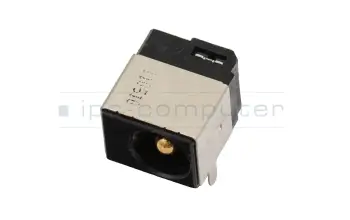
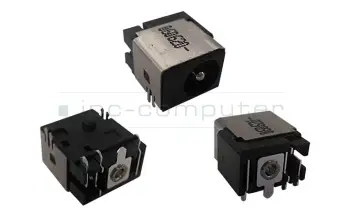
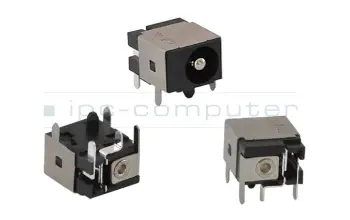
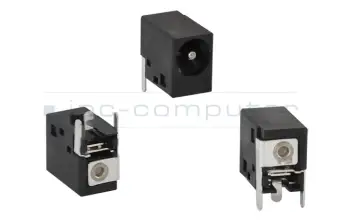
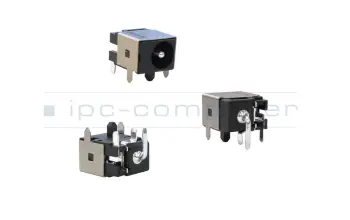
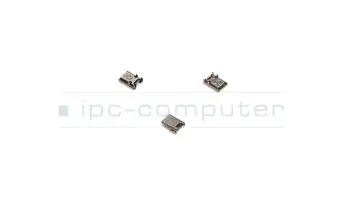
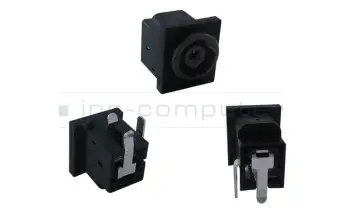
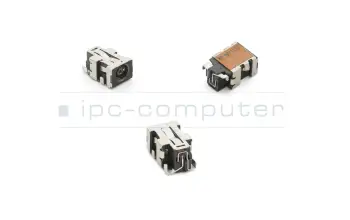
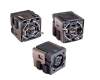
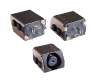
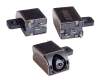
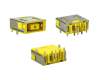
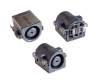
Enchufes de alimentación para ordenadores portátiles y de sobremesa

¿Qué tengo que tener en cuenta al comprar una toma de corriente?

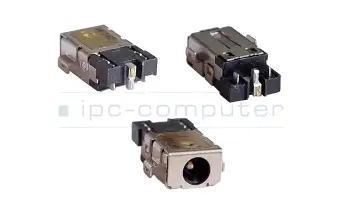
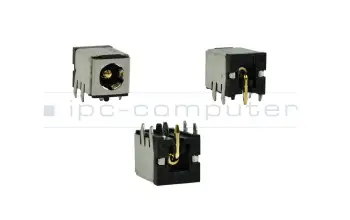
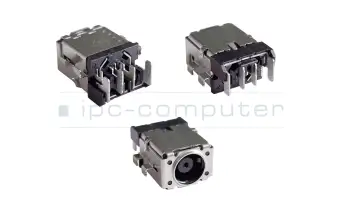
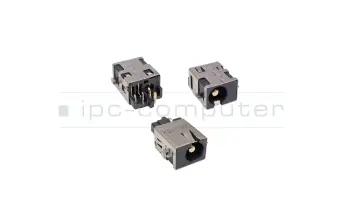
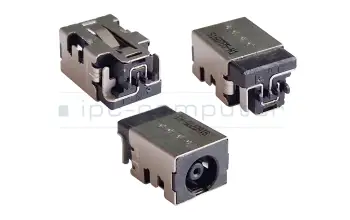
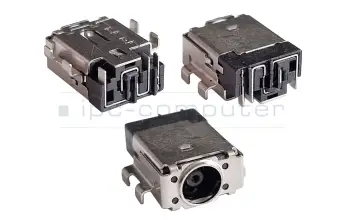
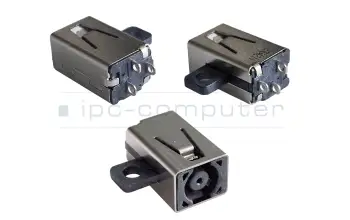
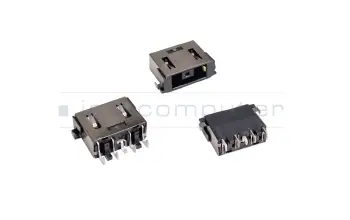
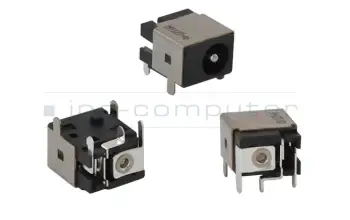
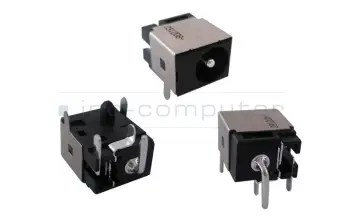
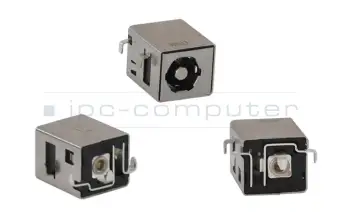
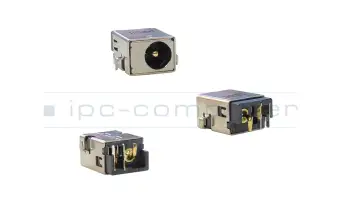
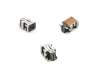
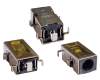
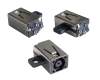
Para encontrar el enchufe correcto, tienes que medir tu enchufe defectuoso y luego comparar su tamaño y diseño con los de nuestra tienda. También hay que tener en cuenta el número de alfileres y su disposición. Los enchufes actuales en nuestra tienda se filtran según el diámetro interior y exterior y el número de clavijas. Después de la medición, puede seleccionar las características respectivas y se mostrarán todas las tomas de corriente adecuadas. Todos los enchufes son universales, es decir, el fabricante de su portátil no es importante.

Enchufe de alimentación del portátil

Beliebte Notebook Stromversorgungsbuchsen

PCB038 DC Jack IPC-Computer 3,0/1,1mm 3PIN
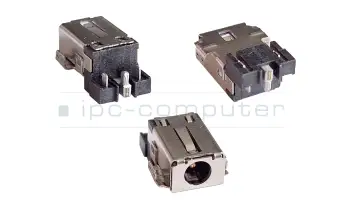
PCB038 DC Jack IPC-Computer 3,0/1,1mm 3PIN
Disponible
29.49 EUR
incl. 21% IVA
más gastos de envío

PCB058 DC Jack IPC-Computer 4,0/1,7mm 3PIN

PCB058 DC Jack IPC-Computer 4,0/1,7mm 3PIN
Disponible
19.32 EUR
incl. 21% IVA
más gastos de envío

PCB041 DC Jack IPC-Computer 4,5/3,0mm 2PIN

PCB041 DC Jack IPC-Computer 4,5/3,0mm 2PIN
Disponible
19.32 EUR
incl. 21% IVA
más gastos de envío

PCB046 DC Jack IPC-Computer 3,0/1,1mm 3PIN

PCB046 DC Jack IPC-Computer 3,0/1,1mm 3PIN
Disponible
19.32 EUR
incl. 21% IVA
más gastos de envío

PCB015 DC Jack 5,5/2,5mm 3PIN

PCB015 DC Jack 5,5/2,5mm 3PIN
Disponible
19.32 EUR
incl. 21% IVA
más gastos de envío

12014-00100900 DC Jack Asus 3,9/0,5mm 3PIN

12014-00100900 DC Jack Asus 3,9/0,5mm 3PIN
Disponible
19.32 EUR
incl. 21% IVA
más gastos de envío

PCB043 DC Jack IPC-Computer 4,5/2,9mm 3PIN

PCB043 DC Jack IPC-Computer 4,5/2,9mm 3PIN
Disponible
19.32 EUR
incl. 21% IVA
más gastos de envío

PCB052 DC Jack IPC-Computer 4,5/3,0mm 2PIN

PCB052 DC Jack IPC-Computer 4,5/3,0mm 2PIN
Disponible
19.32 EUR
incl. 21% IVA
más gastos de envío

PB016L DC Jack IPC-Computer 11,0/0,7mm 5PIN

PB016L DC Jack IPC-Computer 11,0/0,7mm 5PIN
Disponible
29.49 EUR
incl. 21% IVA
más gastos de envío

DC157 DC Jack DCJACK 5,5/2,5mm 3PIN

DC157 DC Jack DCJACK 5,5/2,5mm 3PIN
Disponible
19.32 EUR
incl. 21% IVA
más gastos de envío

12G14500102E DC Jack Asus 5,5/2,5mm 2PIN

12G14500102E DC Jack Asus 5,5/2,5mm 2PIN
Disponible
26.44 EUR
incl. 21% IVA
más gastos de envío

PCB061 DC Jack IPC-Computer 5,5/1,7mm 3PIN
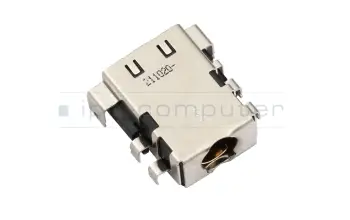
PCB061 DC Jack IPC-Computer 5,5/1,7mm 3PIN
Disponible
32.54 EUR
incl. 21% IVA
más gastos de envío

12G14501103G DC Jack Asus 5,5/2,5mm 3PIN

12G14501103G DC Jack Asus 5,5/2,5mm 3PIN
Disponible
9.15 EUR
incl. 21% IVA
más gastos de envío

PCB001 DC Jack 5,5/1,7mm 4PIN

PCB001 DC Jack 5,5/1,7mm 4PIN
Disponible
9.15 EUR
incl. 21% IVA
más gastos de envío

PCB003 DC Jack 5,5/2,5mm 3PIN

PCB003 DC Jack 5,5/2,5mm 3PIN
Disponible
9.15 EUR
incl. 21% IVA
más gastos de envío

PCB007 DC Jack 5,5/1,7mm 3PIN

PCB007 DC Jack 5,5/1,7mm 3PIN
Disponible
9.15 EUR
incl. 21% IVA
más gastos de envío

PCB008 DC Jack 5,5/1,7mm 3PIN

PCB008 DC Jack 5,5/1,7mm 3PIN
Disponible
9.15 EUR
incl. 21% IVA
más gastos de envío

PCB009 DC Jack 5,5/1,7mm 3PIN

PCB009 DC Jack 5,5/1,7mm 3PIN
Disponible
9.15 EUR
incl. 21% IVA
más gastos de envío

PCB010 DC Jack 3PIN

PCB010 DC Jack 3PIN
Disponible
9.15 EUR
incl. 21% IVA
más gastos de envío

PCB012 DC Jack 5,5/2,5mm 3PIN

PCB012 DC Jack 5,5/2,5mm 3PIN
Disponible
9.15 EUR
incl. 21% IVA
más gastos de envío

PCB016 DC Jack 5,5/1,7mm 3PIN

PCB016 DC Jack 5,5/1,7mm 3PIN
Disponible
9.15 EUR
incl. 21% IVA
más gastos de envío

PCB017 DC Jack 5,5/1,7mm 3PIN

PCB017 DC Jack 5,5/1,7mm 3PIN
Disponible
9.15 EUR
incl. 21% IVA
más gastos de envío

PCB026 DC Jack 11,0/4,5mm 5PIN

PCB026 DC Jack 11,0/4,5mm 5PIN
Disponible
19.32 EUR
incl. 21% IVA
más gastos de envío

PCB032 DC Jack 5PIN

PCB032 DC Jack 5PIN
Inventario de baja
9.15 EUR
incl. 21% IVA
más gastos de envío

PJ036 DC Jack Sony 3PIN

PJ036 DC Jack Sony 3PIN
Disponible
9.15 EUR
incl. 21% IVA
más gastos de envío

Encontrar las tomas de corriente adecuadas por modelo o características

Noch 50 Produkte in Ihrem Filter

Buscar artículo por nombre de modelo...


... o seleccionar a través del árbol de modelos

Finder
9 a 33
50

Alternativa para 50.4XP06.031 DC Jack Dell 7,4/5,0mm 5PIN

Alternativa para 50.4XP06.031 DC Jack Dell 7,4/5,0mm 5PIN
Disponibleenvío hoy.Posibilidad de envío urgente.
19.32 EUR
incl. 21% IVA
más gastos de envío

Alternativa para JRHPG DC Jack Dell 7,4/5,0mm 5PIN

Alternativa para JRHPG DC Jack Dell 7,4/5,0mm 5PIN
Disponibleenvío hoy.Posibilidad de envío urgente.
19.32 EUR
incl. 21% IVA
más gastos de envío

Alternativa para F5MY1 DC Jack Dell 7,4/5,0mm 5PIN

Alternativa para F5MY1 DC Jack Dell 7,4/5,0mm 5PIN
Disponibleenvío hoy.Posibilidad de envío urgente.
19.32 EUR
incl. 21% IVA
más gastos de envío

Alternativa para GDV3X DC Jack Dell 4,5/3,0mm 3PIN

Alternativa para GDV3X DC Jack Dell 4,5/3,0mm 3PIN
Disponibleenvío hoy.Posibilidad de envío urgente.
19.32 EUR
incl. 21% IVA
más gastos de envío

PJ036 DC Jack Sony 3PIN

PJ036 DC Jack Sony 3PIN
Disponibleenvío hoy.Posibilidad de envío urgente.
9.15 EUR
incl. 21% IVA
más gastos de envío

PCB015 DC Jack 5,5/2,5mm 3PIN
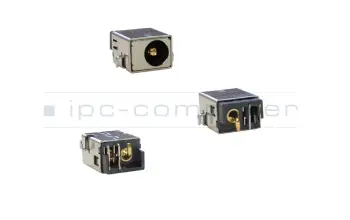
PCB015 DC Jack 5,5/2,5mm 3PIN
Disponibleenvío hoy.Posibilidad de envío urgente.
19.32 EUR
incl. 21% IVA
más gastos de envío

12G14501103G DC Jack Asus 5,5/2,5mm 3PIN

12G14501103G DC Jack Asus 5,5/2,5mm 3PIN
Disponibleenvío hoy.Posibilidad de envío urgente.
9.15 EUR
incl. 21% IVA
más gastos de envío

12G14501103W DC Jack Asus 5,5/2,5mm 3PIN

12G14501103W DC Jack Asus 5,5/2,5mm 3PIN
Disponibleenvío hoy.Posibilidad de envío urgente.
9.15 EUR
incl. 21% IVA
más gastos de envío

12014-00100900 DC Jack Asus 3,9/0,5mm 3PIN
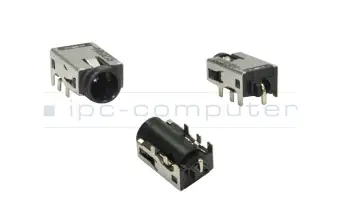
12014-00100900 DC Jack Asus 3,9/0,5mm 3PIN
Disponibleenvío hoy.Posibilidad de envío urgente.
19.32 EUR
incl. 21% IVA
más gastos de envío

PCB026 DC Jack 11,0/4,5mm 5PIN
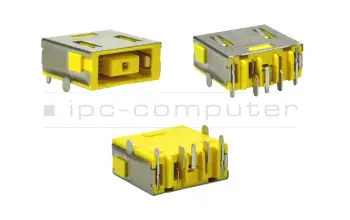
PCB026 DC Jack 11,0/4,5mm 5PIN
Disponibleenvío hoy.Posibilidad de envío urgente.
19.32 EUR
incl. 21% IVA
más gastos de envío

Diferentes dimensiones de las tomas de corriente en comparación

Enchufe de la fuente de alimentación

Interessante Beiträge Rund um das Thema Notebook Stromversorgungsbuchsen
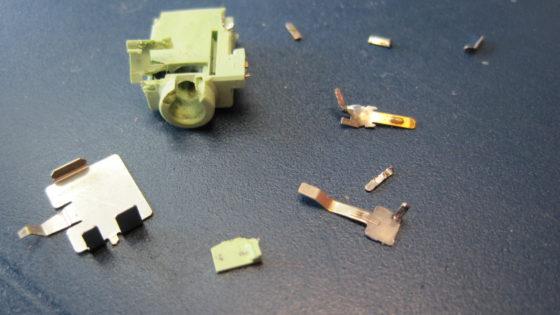
Wenn kein Ton mehr kommt

Wenn kein Ton mehr kommt

Spielen die Lautsprecher oder Kopfhörer keinen Sound mehr ab? Grund dafür könnte eine defekte Audiobuchse sein.
Leer más >
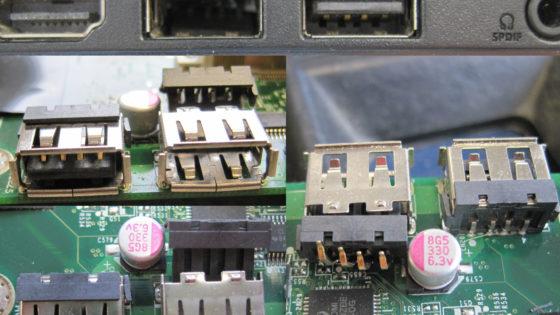
Gebrochene USB-Buchse

Gebrochene USB-Buchse

USB Stick falsch herum reingesteckt? Sturz auf den eingesteckten USB Stick? Schnell ist es passiert: eine gebrochene USB Buchse.

Leer más >
Strombuchse gebrochen!

Strombuchse gebrochen!

Die Strombuchse eines uns zur Reparatur eingeschickten ASUS ZenBook UX 32V war nicht mehr zu gebrauchen. Lesen hier mehr. 

Leer más >
Defekte Strombuchse verhindert Funktion

Defekte Strombuchse verhindert Funktion

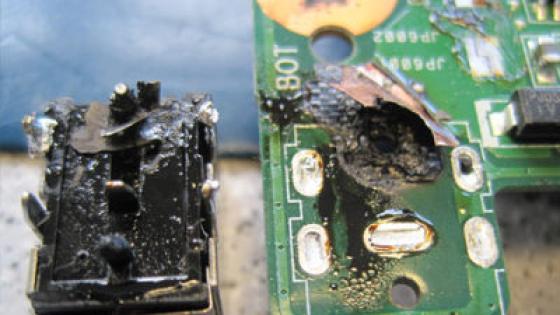
Der Kunde schickte sein ASUS G501JW Gaming Notebook mit der Fehlerbeschreibung, das Gerät reagiere nicht mehr beim Einschalten ein.
Leer más >
Abgebrannte Strombuchsen bei Hochleistungs-Laptops

Abgebrannte Strombuchsen bei Hochleistungs-Laptops

Immer wieder landen Hochleistungs-Laptops (oft MSI Barebones) mit demselben Fehlerbild auf dem Diagnoseplatz unserer Servicewerkstatt. Lesen Sie den Grund und die betroffenen Modelle hierfür.

Leer más >

Notebook Reparatur FAQ

Hier finden Sie alle wichtigen Fragen und Antworten rund ums Thema Notebook Reparaturen

  • Where can I check the warranty status of my device

    If you are unsure about the warranty status of your device, you can easily check it online. You find an online tool for this on the website of the most manufacturers. Enter the serial number of your device and (if necessary) other information, you should then immediately receive information about the warranty status.

    Here you will find the testing tools of our top manufacturers:

    HP  Asus  Dell  Acer  Fujitsu  Lenovo  MSI

  • Does the warranty of my device remain after the repair

    If your device still has a manufacturer's warranty, it will be void, if it is repaired by IPC-Computer. In all cases, we give you a six-months warranty on the executed repair. If you are unsure about the warranty status of your device, please see our FAQ Where can I check the warranty status of my device?.

    IPC Computer also offers you a safe and free exchange, as well as the IPC solution promise.

    More information about the IPC solution promise

  • Does IPC Computer perform BIOS updates

    If you need a BIOS update for your notebook, we can do this for you. If your notebook is in for repair, we update the BIOS automatically, so your notebook always has the latest BIOS after a repair.

  • Kann ich mein Gerät einsenden oder vorbeibringen ?

    Beides ist grundsätzlich möglich.

    Bitte beantragen Sie immer vorher eine RMA-Nummer und warten Sie unsere schriftliche Freigabe per E‑Mail ab.

    So funktioniert’s Schritt für Schritt:

    • RMA beantragen: Reparatur-Anmeldung online ausfüllen und absenden.
    • Freigabe abwarten: Sie erhalten per E‑Mail die Reparaturfreigabe.
    • Lieferschein erhalten: Mit der Freigabe senden wir Ihnen den Lieferschein per E‑Mail.
    • Einsenden oder vorbeibringen:
      • Versand: Gerät sicher verpacken, Lieferschein beilegen, an die angegebene Adresse senden.
      • Vor-Ort: Bringen Sie das Gerät zusammen mit dem ausgedruckten Lieferschein zu Ihrem Termin mit.

    Hinweis:

    • Ohne RMA/Freigabe können wir Geräte aus organisatorischen Gründen nicht annehmen.
    • Wenn es eilig ist, kontaktieren Sie uns vorab telefonisch oder via WhatsApp – wir prüfen Teileverfügbarkeit und Terminoptionen.
  • Can I send in my notebook without my hard drive

    In principle, you can send us your notebook for repair without an installed hard drive. In order for our technicians to check the functionality of your notebook and make an accurate error diagnosis, the notebook needs an operating system. If there is no hard disk in your notebook, we check the functions of your notebook with a boot stick. In rare cases this can cause problems with your operating system, but usually this is possible without any problems.

  • Can my notebook still be repaired

    In general, it is possible for us to repair almost all devices. However, this question cannot be answered in a general way and we ask you to provide our technicians with some information about your notebook and the defect. The best way to do this is via our repair request form, we ask you to give us as many details as possible. Afterwards, you will receive a well-founded initial assessment of the repair status of your notebook from us as quickly as possible. 

  • Wil my data be deleted for the repair

    When you send in your notebook for repair, your data will not be deleted or changed by us. Your data will remain unchanged. If you send in your notebook for a HDD exchange, the new HDD remains free and your old HDD will be sent back to you together with your notebook. Before sending in your notebook, you can make a data backup on, for example, an external HDD and thus protect your data from loss. Data backups are not only recommended before a repair, but should be done regularly to protect your data from hard drive damage. If you can not perform a backup and do not want to send your data with your notebook, you can remove the HDD of your notebook and send your notebook without hard drive.

  • What does the repair of my notebook cost

    We will be happy to provide you with a cost estimate after the diagnosis of your laptop, which is free of charge for you with an order confirmation. Please fill out the repair registration form completely and send us your laptop see our FAQ What is the repair process at IPC-Computer?. We will then carry out a diagnosis and subsequently send you a cost estimate. If you decide against a repair after our cost estimate, a diagnosis fee of 45,- € will apply.

    More information about repair costs

  • Which devices can IPC-Computer repair?

    The laptop service of IPC-Computer includes almost all common laptop models. Our extensive stock gives us direct access to tens of thousands of spare parts. If the required spare part is not in our warehouse, we order it and then carry out the repair of your laptop. You will receive more detailed information from our technicians about the repair of your laptop after a repair request

  • Which spare parts does IPC-Computer use?

    IPC-Computer only uses original spare parts from the manufacturer for the repair of your laptop.

  • How do I get an offer/estimate for the repair

    We will be happy to provide you with an estimate for the repair of your notebook. For more information see the FAQ-entry:

    Repair cost

  • Wie lange dauert die Reparatur gewöhnlich?
    • Standarddauer: 1–5 Werktage nach Ihrer Freigabe des Kostenvoranschlags.
    • Express Reparaturen: Häufig innerhalb von 24–48 Stunden, wenn alle Teile lagernd sind.
    • Abhängig von Ersatzteilen: Liegen Teile bei uns auf Lager (15.000+ Artikel), starten wir sofort. Bei auftragsbezogenen Originalteilen verlängert sich die Dauer i. d. R. um 1–3 Wochen (je nach Hersteller).
    • Diagnose/Kostenvoranschlag: In der Regel innerhalb von 2-5 Werktagen nach Geräteeingang.
    • Komplexe Schäden (z. B. Mainboard, Wasserschaden): ca 10-15 Werktage, da zusätzliche Tests und Trocknungs-/Reinigungsprozesse nötig sind.
    • Transparenz: Sie erhalten zu jedem Schritt Status-Updates (Eingang, Diagnose, KVA, Teileeingang, Reparatur, Versand).

    Tipp: Wenn Sie einen engen Zeitplan haben, kontaktieren Sie uns vorab (Telefon/WhatsApp). Wir prüfen Teileverfügbarkeit und reservieren bei Bedarf Komponenten, um die Durchlaufzeit zu verkürzen.

  • What is the repair process at IPC-Computer

    There are 6 steps to repairing your laptop at IPC-Computer:

    1. First, submit a repair request  online on our website. Please provide all the required information in full.

    2. As soon as your request has been processed by us, you will receive an e-mail with information about the repair. Now you only have to send your laptop to IPC-Computer at Hauptstraße 37 in 77960 Seelbach. You can find out how to pack your laptop safely for transport in our FAQ How do I pack my laptop safely for transport?.

    3. As soon as we have received your device, our technicians will carry out a fault diagnosis and inform you of the detected damages. You will also receive a cost estimate here.

    4. If you agree to repair your laptop, our technicians will do it as soon as possible.

    5. After the repair we will carry out another diagnosis again and check your laptop for functionality.

    6. If everything is fine after the repair, we will send your laptop straight to your home.

  • How do I pack my laptop safely for transport

    To protect your device from damage during shipping, please take the following precautionary measures:

    • Take a sufficiently large and sturdy cardboard box. It is best to use an inner packaging.
    • The best way to cushion the floor is to use styrofoam / styrofoam chips, bubble wrap or crumpled up newspaper and place your device in the middle of the box.
    • Pad the rest of the space accordingly until your device is protected all around.
    • If you also send in accessories, please ensure that you wrap them up carefully and leave some space between the device and the accessories.

    Your device should now be optimally protected from damage during shipping.

  • Where can I check the status of my repair

    If the status of your repair changes, you will receive an e-mail from us with all information about the current status. If it is not possible for you to view the email on another device, for example your smartphone, you can contact us by phone and check the status of your repair.