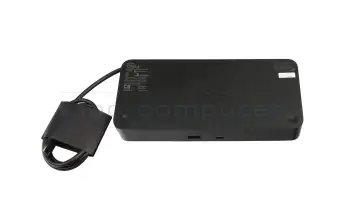
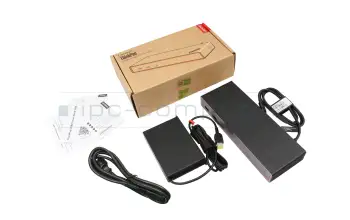
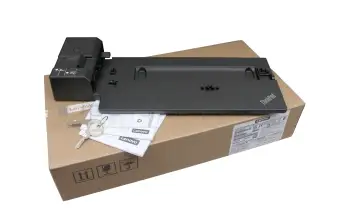
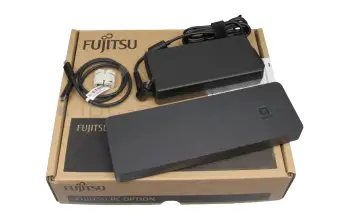
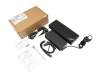
Replicadores de puerto y estaciones de acoplamiento para portátiles

Si se utiliza el portátil principalmente de forma estacionaria y se desea conectar muchos dispositivos periféricos como la impresora, el ratón, el teclado u otros monitores externos, un replicador de puertos o una estación de acoplamiento adecuada puede ser una extensión muy importante. Los dispositivos periféricos ya no se conectan directamente al portátil, evitando así el desorden de los cables.

Estación de acoplamiento del portátil

La estación de acoplamiento más comprada

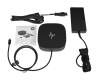
5TW10AA#ABB HP USB-C Dock G5 EURO USB-C 3 replicador de puertos incl. 120W cargador

5TW10AA#ABB HP USB-C Dock G5 EURO USB-C 3 replicador de puertos incl. 120W cargador
Disponible
141.34 EUR
incl. 21% IVA
más gastos de envío

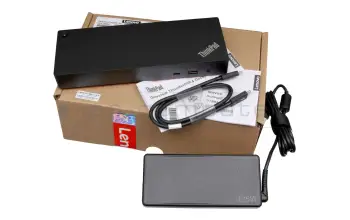
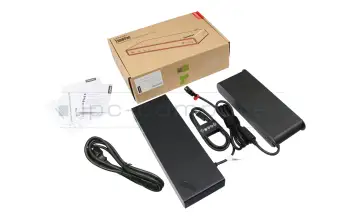
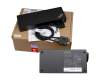
40AF0135EU Lenovo Hybrid-USB USB-C / USB-A replicador de puertos incl. 135W cargador
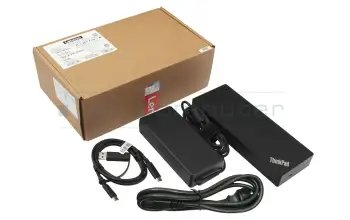
40AF0135EU Lenovo Hybrid-USB USB-C / USB-A replicador de puertos incl. 135W cargador
Disponible
182.01 EUR
incl. 21% IVA
más gastos de envío

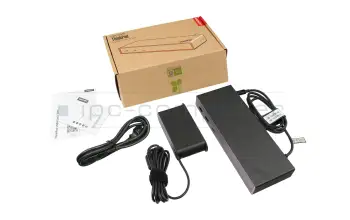
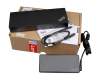
PRIPC1 IPC-Computer Dual 4K Hybrid-USB USB-C / USB-A estacion de acoplamiento incl. 130W cargador

PRIPC1 IPC-Computer Dual 4K Hybrid-USB USB-C / USB-A estacion de acoplamiento incl. 130W cargador
Disponible
151.50 EUR
incl. 21% IVA
más gastos de envío

4J0A2AA#ABB HP Thunderbolt Dockingstation G4 Thunderbolt 4 replicador de puertos incl. 120W cargador

4J0A2AA#ABB HP Thunderbolt Dockingstation G4 Thunderbolt 4 replicador de puertos incl. 120W cargador
Disponible
177.94 EUR
incl. 21% IVA
más gastos de envío

50H55AA HP Universal USB-C multiport hub USB-C 3 estacion de acoplamiento

50H55AA HP Universal USB-C multiport hub USB-C 3 estacion de acoplamiento
Disponible
80.33 EUR
incl. 21% IVA
más gastos de envío

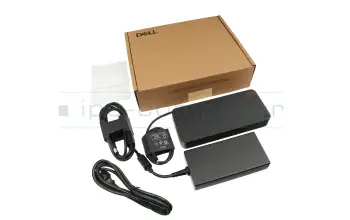
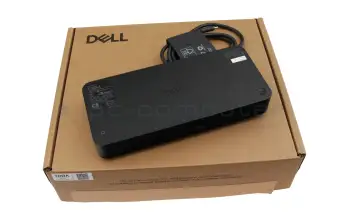
WD19S180W Dell Dockingstation WD19S USB-C 3 replicador de puertos incl. 180W cargador

WD19S180W Dell Dockingstation WD19S USB-C 3 replicador de puertos incl. 180W cargador
Disponible
304.02 EUR
incl. 21% IVA
más gastos de envío

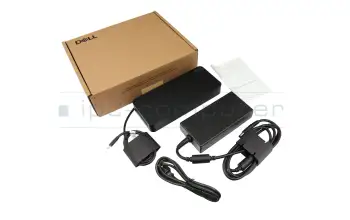
210-AZBX Dell Dockingstation WD19S USB-C 3 replicador de puertos incl. 130W cargador

210-AZBX Dell Dockingstation WD19S USB-C 3 replicador de puertos incl. 130W cargador
Disponible
235.90 EUR
incl. 21% IVA
más gastos de envío

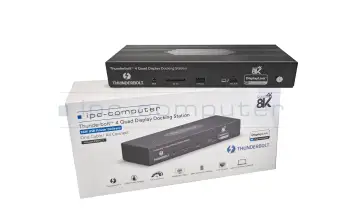
PRIPC2 IPC-Computer Thunderbolt 4 Quad-Display Thunderbolt 4 replicador de puertos incl. 160W cargador

PRIPC2 IPC-Computer Thunderbolt 4 Quad-Display Thunderbolt 4 replicador de puertos incl. 160W cargador
Disponible
192.17 EUR
incl. 21% IVA
más gastos de envío

SD25TB4 Dell Pro Thunderbolt 4 Smart Dock - SD25TB4 USB-C / USB-A replicador de puertos incl. 180W cargador

SD25TB4 Dell Pro Thunderbolt 4 Smart Dock - SD25TB4 USB-C / USB-A replicador de puertos incl. 180W cargador
Disponible
253.18 EUR
incl. 21% IVA
más gastos de envío

9X472UT#ABB HP Thunderbolt Dockingstation G6 Thunderbolt 4 estacion de acoplamiento incl. 120W cargador

9X472UT#ABB HP Thunderbolt Dockingstation G6 Thunderbolt 4 estacion de acoplamiento incl. 120W cargador
Inventario de baja
189.12 EUR
incl. 21% IVA
más gastos de envío

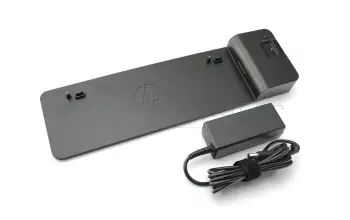
D9Y32AA#ABB HP UltraSlim estacion de acoplamiento incl. 65W cargador

D9Y32AA#ABB HP UltraSlim estacion de acoplamiento incl. 65W cargador
Disponible
35.59 EUR
incl. 21% IVA
más gastos de envío

4J0G4AA HP Thunderbolt Dockingstation G4 Thunderbolt 4 estacion de acoplamiento incl. 280W cargador

4J0G4AA HP Thunderbolt Dockingstation G4 Thunderbolt 4 estacion de acoplamiento incl. 280W cargador
Disponible
217.59 EUR
incl. 21% IVA
más gastos de envío

40AJ0135EU Lenovo ThinkPad Ultra estacion de acoplamiento incl. 135W cargador

40AJ0135EU Lenovo ThinkPad Ultra estacion de acoplamiento incl. 135W cargador
Disponible
88.46 EUR
incl. 21% IVA
más gastos de envío

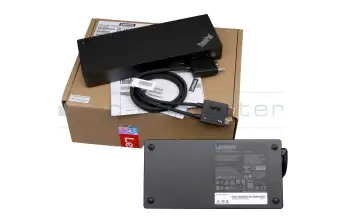
40B00135EU Lenovo ThinkPad Universal Thunderbolt 4 Dock Thunderbolt 4 replicador de puertos incl. 135W cargador

40B00135EU Lenovo ThinkPad Universal Thunderbolt 4 Dock Thunderbolt 4 replicador de puertos incl. 135W cargador
Disponible
242.00 EUR
incl. 21% IVA
más gastos de envío

210-BEYV Dell Universal Dock UD22 USB-C 3 replicador de puertos incl. 130W cargador

210-BEYV Dell Universal Dock UD22 USB-C 3 replicador de puertos incl. 130W cargador
Disponible
192.17 EUR
incl. 21% IVA
más gastos de envío

WD19DCS Dell Performance Dock WD19DCS Dual USB-C estacion de acoplamiento incl. 240W cargador

WD19DCS Dell Performance Dock WD19DCS Dual USB-C estacion de acoplamiento incl. 240W cargador
Disponible
354.87 EUR
incl. 21% IVA
más gastos de envío

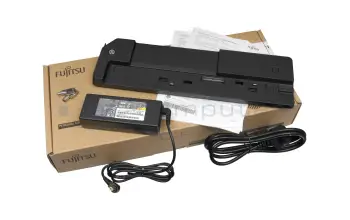
S26391-F1607-L219 Fujitsu FPCPR364 estacion de acoplamiento incl. 90W cargador

S26391-F1607-L219 Fujitsu FPCPR364 estacion de acoplamiento incl. 90W cargador
Disponible
46.78 EUR
incl. 21% IVA
más gastos de envío

DELL-WD25 Dell ProDock WD25 USB-C 3 estacion de acoplamiento incl. 130W cargador

DELL-WD25 Dell ProDock WD25 USB-C 3 estacion de acoplamiento incl. 130W cargador
Disponible
179.98 EUR
incl. 21% IVA
más gastos de envío

SD25 Dell Pro Smart Dock SD25 USB-C 3 replicador de puertos incl. 180W cargador

SD25 Dell Pro Smart Dock SD25 USB-C 3 replicador de puertos incl. 180W cargador
Disponible
208.45 EUR
incl. 21% IVA
más gastos de envío

40AY0090EU Lenovo ThinkPad Universal USB-C Dock USB-C 3 replicador de puertos incl. 90W cargador

40AY0090EU Lenovo ThinkPad Universal USB-C Dock USB-C 3 replicador de puertos incl. 90W cargador
Disponible
161.67 EUR
incl. 21% IVA
más gastos de envío

40B00300EU Lenovo ThinkPad Thunderbolt 4 Workstation Dock Thunderbolt 4 replicador de puertos incl. 300W cargador

40B00300EU Lenovo ThinkPad Thunderbolt 4 Workstation Dock Thunderbolt 4 replicador de puertos incl. 300W cargador
Disponible
267.42 EUR
incl. 21% IVA
más gastos de envío

FPCPR401BP Fujitsu Thunderbolt 4 (Trident2) Thunderbolt 4 replicador de puertos incl. 170W cargador

FPCPR401BP Fujitsu Thunderbolt 4 (Trident2) Thunderbolt 4 replicador de puertos incl. 170W cargador
Disponible
139.31 EUR
incl. 21% IVA
más gastos de envío

S26391-F3327-L100 Fujitsu USB Typ-C USB-C 3 replicador de puertos incl. 90W cargador

S26391-F3327-L100 Fujitsu USB Typ-C USB-C 3 replicador de puertos incl. 90W cargador
Disponible
100.66 EUR
incl. 21% IVA
más gastos de envío

WD22TB4 Dell Thunderbolt Dock WD22TB4 Thunderbolt 4 replicador de puertos incl. 180W cargador

WD22TB4 Dell Thunderbolt Dock WD22TB4 Thunderbolt 4 replicador de puertos incl. 180W cargador
Disponible
405.70 EUR
incl. 21% IVA
más gastos de envío

5TW13AA#ABB HP Universal Dock G2 USB-C / USB-A replicador de puertos incl. 120W cargador DP 4K

5TW13AA#ABB HP Universal Dock G2 USB-C / USB-A replicador de puertos incl. 120W cargador DP 4K
Disponible
151.50 EUR
incl. 21% IVA
más gastos de envío

Todas las bases de conexión para portátiles de Lenovo
Todas las bases de conexión para portátiles de HP
Todas las bases de conexión para portátiles de Acer
Todas las bases de conexión para portátiles de Dell

Encuentre la estación de acoplamiento adecuada por modelo o características

Noch 205 Produkte in Ihrem Filter
205

Alternativa para 26D32AA#ABL HP USB-C Dock G5 EURO USB-C 3 replicador de puertos incl. 120W cargador

Alternativa para 26D32AA#ABL HP USB-C Dock G5 EURO USB-C 3 replicador de puertos incl. 120W cargador
Disponibleenvío hoy.Posibilidad de envío urgente.
141.34 EUR
incl. 21% IVA
más gastos de envío

Alternativa para 5TW10UT#ABA HP USB-C Dock G5 EURO USB-C 3 replicador de puertos incl. 120W cargador

Alternativa para 5TW10UT#ABA HP USB-C Dock G5 EURO USB-C 3 replicador de puertos incl. 120W cargador
Disponibleenvío hoy.Posibilidad de envío urgente.
141.34 EUR
incl. 21% IVA
más gastos de envío

D9Y32AA HP UltraSlim estacion de acoplamiento incl. 65W cargador

D9Y32AA HP UltraSlim estacion de acoplamiento incl. 65W cargador
Disponibleenvío hoy.Posibilidad de envío urgente.
35.59 EUR
incl. 21% IVA
más gastos de envío

D9Y32AA#ABB HP UltraSlim estacion de acoplamiento incl. 65W cargador

D9Y32AA#ABB HP UltraSlim estacion de acoplamiento incl. 65W cargador
Disponibleenvío hoy.Posibilidad de envío urgente.
35.59 EUR
incl. 21% IVA
más gastos de envío

D9Y32ET HP UltraSlim estacion de acoplamiento incl. 65W cargador

D9Y32ET HP UltraSlim estacion de acoplamiento incl. 65W cargador
Disponibleenvío hoy.Posibilidad de envío urgente.
35.59 EUR
incl. 21% IVA
más gastos de envío

SD20R56774 Lenovo ThinkPad Ultra estacion de acoplamiento incl. 135W cargador

SD20R56774 Lenovo ThinkPad Ultra estacion de acoplamiento incl. 135W cargador
Disponibleenvío hoy.Posibilidad de envío urgente.
88.46 EUR
incl. 21% IVA
más gastos de envío

01HY749 Lenovo ThinkPad Ultra estacion de acoplamiento incl. 135W cargador

01HY749 Lenovo ThinkPad Ultra estacion de acoplamiento incl. 135W cargador
Disponibleenvío hoy.Posibilidad de envío urgente.
88.46 EUR
incl. 21% IVA
más gastos de envío

5D20W51395 Lenovo ThinkPad Ultra estacion de acoplamiento incl. 135W cargador

5D20W51395 Lenovo ThinkPad Ultra estacion de acoplamiento incl. 135W cargador
Disponibleenvío hoy.Posibilidad de envío urgente.
88.46 EUR
incl. 21% IVA
más gastos de envío

5D20X62306 Lenovo ThinkPad Ultra estacion de acoplamiento incl. 135W cargador

5D20X62306 Lenovo ThinkPad Ultra estacion de acoplamiento incl. 135W cargador
Disponibleenvío hoy.Posibilidad de envío urgente.
88.46 EUR
incl. 21% IVA
más gastos de envío

SD20W51390 Lenovo ThinkPad Ultra estacion de acoplamiento incl. 135W cargador

SD20W51390 Lenovo ThinkPad Ultra estacion de acoplamiento incl. 135W cargador
Disponibleenvío hoy.Posibilidad de envío urgente.
88.46 EUR
incl. 21% IVA
más gastos de envío

CP734176-01 Fujitsu FPCPR364 estacion de acoplamiento incl. 90W cargador

CP734176-01 Fujitsu FPCPR364 estacion de acoplamiento incl. 90W cargador
Disponibleenvío hoy.Posibilidad de envío urgente.
46.78 EUR
incl. 21% IVA
más gastos de envío

FPCPR364 Fujitsu FPCPR364 estacion de acoplamiento incl. 90W cargador

FPCPR364 Fujitsu FPCPR364 estacion de acoplamiento incl. 90W cargador
Disponibleenvío hoy.Posibilidad de envío urgente.
46.78 EUR
incl. 21% IVA
más gastos de envío

HSN-IX02 HP USB-C Dock G5 EURO USB-C 3 replicador de puertos incl. 120W cargador

HSN-IX02 HP USB-C Dock G5 EURO USB-C 3 replicador de puertos incl. 120W cargador
Disponibleenvío hoy.Posibilidad de envío urgente.
141.34 EUR
incl. 21% IVA
más gastos de envío

L56522-001 HP USB-C Dock G5 EURO USB-C 3 replicador de puertos incl. 120W cargador

L56522-001 HP USB-C Dock G5 EURO USB-C 3 replicador de puertos incl. 120W cargador
Disponibleenvío hoy.Posibilidad de envío urgente.
141.34 EUR
incl. 21% IVA
más gastos de envío

L64087-001 HP USB-C Dock G5 EURO USB-C 3 replicador de puertos incl. 120W cargador

L64087-001 HP USB-C Dock G5 EURO USB-C 3 replicador de puertos incl. 120W cargador
Disponibleenvío hoy.Posibilidad de envío urgente.
141.34 EUR
incl. 21% IVA
más gastos de envío

Las últimas estaciones de acoplamiento de nuestra gama

26D32AA#ABB HP USB-C Dock G5 EURO USB-C 3 replicador de puertos incl. 120W cargador

26D32AA#ABB HP USB-C Dock G5 EURO USB-C 3 replicador de puertos incl. 120W cargador
Disponible
141.34 EUR
incl. 21% IVA
más gastos de envío

Alternativa para 26D32AA#ABL HP USB-C Dock G5 EURO USB-C 3 replicador de puertos incl. 120W cargador

Alternativa para 26D32AA#ABL HP USB-C Dock G5 EURO USB-C 3 replicador de puertos incl. 120W cargador
Disponible
141.34 EUR
incl. 21% IVA
más gastos de envío

5TW10AA HP USB-C Dock G5 EURO USB-C 3 replicador de puertos incl. 120W cargador

5TW10AA HP USB-C Dock G5 EURO USB-C 3 replicador de puertos incl. 120W cargador
Disponible
141.34 EUR
incl. 21% IVA
más gastos de envío

5TW10AA#ABB HP USB-C Dock G5 EURO USB-C 3 replicador de puertos incl. 120W cargador
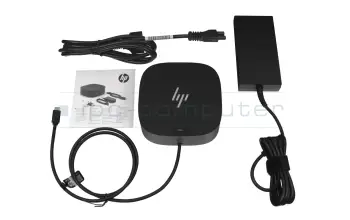
5TW10AA#ABB HP USB-C Dock G5 EURO USB-C 3 replicador de puertos incl. 120W cargador
Disponible
141.34 EUR
incl. 21% IVA
más gastos de envío

Alternativa para 5TW10UT#ABA HP USB-C Dock G5 EURO USB-C 3 replicador de puertos incl. 120W cargador

Alternativa para 5TW10UT#ABA HP USB-C Dock G5 EURO USB-C 3 replicador de puertos incl. 120W cargador
Disponible
141.34 EUR
incl. 21% IVA
más gastos de envío

HSN-IX02 HP USB-C Dock G5 EURO USB-C 3 replicador de puertos incl. 120W cargador

HSN-IX02 HP USB-C Dock G5 EURO USB-C 3 replicador de puertos incl. 120W cargador
Disponible
141.34 EUR
incl. 21% IVA
más gastos de envío

L56522-001 HP USB-C Dock G5 EURO USB-C 3 replicador de puertos incl. 120W cargador

L56522-001 HP USB-C Dock G5 EURO USB-C 3 replicador de puertos incl. 120W cargador
Disponible
141.34 EUR
incl. 21% IVA
más gastos de envío

L61608-001 HP USB-C Dock G5 EURO USB-C 3 replicador de puertos incl. 120W cargador

L61608-001 HP USB-C Dock G5 EURO USB-C 3 replicador de puertos incl. 120W cargador
Disponible
141.34 EUR
incl. 21% IVA
más gastos de envío

L61609-001 HP USB-C Dock G5 EURO USB-C 3 replicador de puertos incl. 120W cargador

L61609-001 HP USB-C Dock G5 EURO USB-C 3 replicador de puertos incl. 120W cargador
Disponible
141.34 EUR
incl. 21% IVA
más gastos de envío

L64086-001 HP USB-C Dock G5 EURO USB-C 3 replicador de puertos incl. 120W cargador

L64086-001 HP USB-C Dock G5 EURO USB-C 3 replicador de puertos incl. 120W cargador
Disponible
141.34 EUR
incl. 21% IVA
más gastos de envío

L64087-001 HP USB-C Dock G5 EURO USB-C 3 replicador de puertos incl. 120W cargador

L64087-001 HP USB-C Dock G5 EURO USB-C 3 replicador de puertos incl. 120W cargador
Disponible
141.34 EUR
incl. 21% IVA
más gastos de envío

L67999-B21 HP USB-C Dock G5 EURO USB-C 3 replicador de puertos incl. 120W cargador

L67999-B21 HP USB-C Dock G5 EURO USB-C 3 replicador de puertos incl. 120W cargador
Disponible
141.34 EUR
incl. 21% IVA
más gastos de envío

M29510-001 HP USB-C Dock G5 EURO USB-C 3 replicador de puertos incl. 120W cargador

M29510-001 HP USB-C Dock G5 EURO USB-C 3 replicador de puertos incl. 120W cargador
Disponible
141.34 EUR
incl. 21% IVA
más gastos de envío

40AF0135EU Lenovo Hybrid-USB USB-C / USB-A replicador de puertos incl. 135W cargador

40AF0135EU Lenovo Hybrid-USB USB-C / USB-A replicador de puertos incl. 135W cargador
Disponible
182.01 EUR
incl. 21% IVA
más gastos de envío

40AF0135EU# Lenovo Hybrid-USB USB-C / USB-A replicador de puertos incl. 135W cargador

40AF0135EU# Lenovo Hybrid-USB USB-C / USB-A replicador de puertos incl. 135W cargador
Disponible
182.01 EUR
incl. 21% IVA
más gastos de envío

DUD9011D1 Lenovo Hybrid-USB USB-C / USB-A replicador de puertos incl. 135W cargador

DUD9011D1 Lenovo Hybrid-USB USB-C / USB-A replicador de puertos incl. 135W cargador
Disponible
182.01 EUR
incl. 21% IVA
más gastos de envío

SD20Q13457 Lenovo Hybrid-USB USB-C / USB-A replicador de puertos incl. 135W cargador

SD20Q13457 Lenovo Hybrid-USB USB-C / USB-A replicador de puertos incl. 135W cargador
Disponible
182.01 EUR
incl. 21% IVA
más gastos de envío

IPC Docking Station IPC-Computer Dual 4K Hybrid-USB USB-C / USB-A estacion de acoplamiento incl. 130W cargador

IPC Docking Station IPC-Computer Dual 4K Hybrid-USB USB-C / USB-A estacion de acoplamiento incl. 130W cargador
Disponible
151.50 EUR
incl. 21% IVA
más gastos de envío

PRIPC1 IPC-Computer Dual 4K Hybrid-USB USB-C / USB-A estacion de acoplamiento incl. 130W cargador
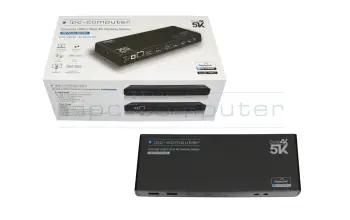
PRIPC1 IPC-Computer Dual 4K Hybrid-USB USB-C / USB-A estacion de acoplamiento incl. 130W cargador
Disponible
151.50 EUR
incl. 21% IVA
más gastos de envío

IPC Port-Replicator IPC-Computer Dual 4K Hybrid-USB USB-C / USB-A estacion de acoplamiento incl. 130W cargador

IPC Port-Replicator IPC-Computer Dual 4K Hybrid-USB USB-C / USB-A estacion de acoplamiento incl. 130W cargador
Disponible
151.50 EUR
incl. 21% IVA
más gastos de envío

G-PRIPC1 IPC-Computer Dual 4K Hybrid-USB USB-C / USB-A estacion de acoplamiento incl. 130W cargador

G-PRIPC1 IPC-Computer Dual 4K Hybrid-USB USB-C / USB-A estacion de acoplamiento incl. 130W cargador
Disponible
151.50 EUR
incl. 21% IVA
más gastos de envío

4J0A2AA HP Thunderbolt Dockingstation G4 Thunderbolt 4 replicador de puertos incl. 120W cargador

4J0A2AA HP Thunderbolt Dockingstation G4 Thunderbolt 4 replicador de puertos incl. 120W cargador
Disponible
177.94 EUR
incl. 21% IVA
más gastos de envío

4J0A2AA#ABB HP Thunderbolt Dockingstation G4 Thunderbolt 4 replicador de puertos incl. 120W cargador

4J0A2AA#ABB HP Thunderbolt Dockingstation G4 Thunderbolt 4 replicador de puertos incl. 120W cargador
Disponible
177.94 EUR
incl. 21% IVA
más gastos de envío

M88251-001 HP Thunderbolt Dockingstation G4 Thunderbolt 4 replicador de puertos incl. 120W cargador

M88251-001 HP Thunderbolt Dockingstation G4 Thunderbolt 4 replicador de puertos incl. 120W cargador
Disponible
177.94 EUR
incl. 21% IVA
más gastos de envío

AJ0A2ET#ABB HP Thunderbolt Dockingstation G4 Thunderbolt 4 replicador de puertos incl. 120W cargador

AJ0A2ET#ABB HP Thunderbolt Dockingstation G4 Thunderbolt 4 replicador de puertos incl. 120W cargador
Disponible
177.94 EUR
incl. 21% IVA
más gastos de envío

Replicadores de 3 puertos USB-C o Thunderbolt

Los replicadores de puertos conectados a través de USB-C o Thunderbolt 3 forman un tercer grupo que combina las ventajas de los otros dos. Ambos son puertos estandarizados, que están disponibles en más y más computadoras portátiles y ambos puertos tienen un gran ancho de banda. Esto permite que muchos dispositivos USB, LAN y audio se conecten sin problemas. Además, se puede transmitir una señal de DisplayPort a través de los dos conectores, de modo que se pueden conectar varios monitores de alta resolución. Además, el USB Power-Delivery le permite cargar su portátil con el mismo cable. Además, muchos replicadores de 3 puertos USB-C /TB también ofrecen la posibilidad de encender y apagar el dispositivo y también de operarlo cerrado.

Ventajas de una estación de acoplamiento o un replicador de puertos - La comparación

 Docking StationsReplicadores de puertosUSB-C/Thunderbolt 3
Extensión de las conexiones
Carga directa del portátilX
Compatible con todos los fabricantesX
Cuaderno cerrado listo para su usoX

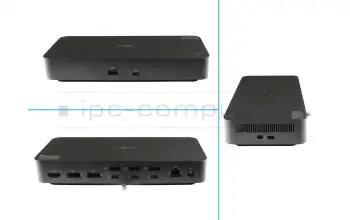
Estación de acoplamiento universal USB-C Dual 4K de IPC Computer

En general, el replicador de puertos de IPC Computer cumple perfectamente las principales tareas de un replicador de puertos o estación de acoplamiento. Se facilita la organización del lugar de trabajo. Gracias al diseño sencillo y moderno y a la mejor organización de los numerosos cables, el escritorio parece más ordenado que nunca. En cuanto a las especificaciones, también se cumplen todos los deseos. Una característica destacada es la posibilidad de conectar dos monitores 4K simultáneamente. La mayoría de los productos de la competencia sólo permiten utilizar una pantalla 4K. También puedes utilizar una pantalla de 5K con el replicador de puertos IPC. Además, se pueden conectar numerosos accesorios a través de los dos puertos USB-C y los cuatro USB3.0.


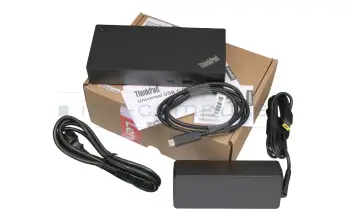
Base híbrida USB-C de Lenovo ThinkPad con adaptador de corriente de 135 W

Resuelva la conectividad limitada de forma rápida y segura con este replicador de puertos y conecte fácilmente un ratón, una impresora y otros dispositivos USB. Refleje o extienda su escritorio a varios monitores externos.

Con un puerto USB-C, no solo no necesitas una fuente de alimentación adicional para hacer funcionar tu portátil, sino que incluso puedes cargar la batería con el replicador de puertos existente. Ten en cuenta, sin embargo, que el puerto USB-C permite un consumo máximo de energía de 100 vatios. Si su portátil tiene un mayor consumo de energía, sigue necesitando la fuente de alimentación del portátil para funcionar.

Dock USB-C replicador de puertos Lenovo ThinkPad Gen 2 40AS0090EU

Si quieres extender la pantalla de una tableta a pantallas externas, este replicador de puertos es la mejor opción. El portátil a conectar debe tener una salida USB-C. Con este replicador de puertos también puede conectar su smartphone o tableta, si tiene salida USB-C y soporta la función, para duplicar la pantalla.


Lenovo ThinkPad Gen 2 Port Replikator USB-C Dock 40AS0090EU

Dell WD19TB Thunderbolt 3 replicador de puertos incl. 180W cargador
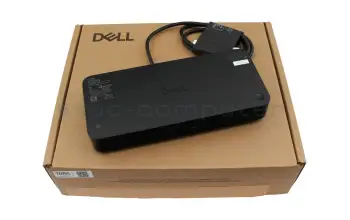
Con sus múltiples puertos, el replicador de puertos Dell Thunderbolt 3 permite conectar hasta 4 pantallas simultáneamente. También tiene el doble de velocidad de transferencia de datos que su predecesor, el Thunderbolt 2, con 40 GBit/s. El paquete incluye instrucciones de instalación, una fuente de alimentación de 180 W y un enchufe que se adapta a la fuente de alimentación.

Estación de acoplamiento HP UltraSlim D9Y32AA#ABB

Esta estación de acoplamiento de HP tiene una característica especial antirrobo, ofrece dos mecanismos de cierre diferentes como protección antirrobo. También tiene un puerto USB 3.0 con una fuente de alimentación constante con la que se pueden cargar los dispositivos móviles. La estación de acoplamiento es adecuada para un HP EliteBook serie 750 G o un ProBook 640 G2, por ejemplo. El volumen de suministro incluye una guía rápida de uso y una fuente de alimentación de 65 vatios.


HP UltraSlim Dockingstation D9Y32AA#ABB

Fujitsu Docking Station S26391-F1607-L119 inkl. Netzteil

Flexibilität, Erweiterbarkeit, Desktop-Ersatz und Investitionsschutz gehören zu den Vorteilen, die Ihnen die Fujitsu Docking Station bietet. Die Port-Replikatoren wurden speziell für Ihre Lifebook, Stylistic und mobilen Celsius Geräte entwickelt und ermöglichen es Ihnen, im Büro mit nur einem Klick Ihr Display, Ihre Tastatur und Maus anzuschließen.

Fujitsu Notebook Docking Station

Interessante Beiträge Rund um das Thema Notebook Docking Station / Port Replikator

2 Monitore am Apple MacBook M1 (Pro/Max)

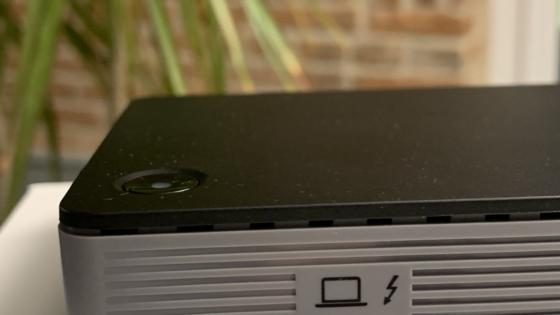
Die neuen Apple Laptops mit dem ultra-effizienten M1 Prozessor bieten viele tolle Features und Möglichkeiten. Unser IPC-Computer Portreplikator und die Software "DisplayLink" machen es möglich, zwei externe Monitore zu nutzen. So kann man zwei 4k Bildschirme und viele weitere Peripherie-Geräte am MacBook Air/Pro anschließen.
Leer más >
Thunderbolt-Docking Station oder USB-C-Dock?

Thunderbolt-Docking Station oder USB-C-Dock?

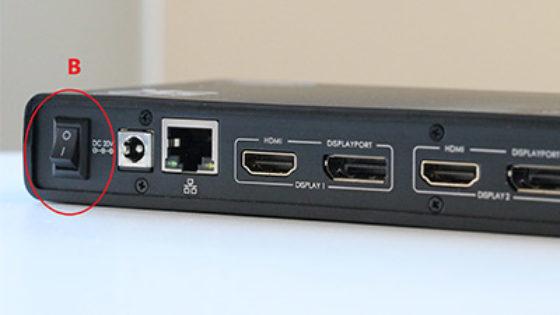
Eine Thunderbolt-Docking Station – genauer gesagt ein Thunderbolt-Port-Replikator –  wo liegen Gemeinsamkeiten und Unterschiede zu der klassischen USB-C-Docking Station? 
Leer más >
Docking-Station vs. Port-Replikator

Docking-Station vs. Port-Replikator

In diesem Beitrag erklären wir Ihnen genau detalliert den Unterschied zwischen einer Docking Station und einem Port Replikator.

Leer más >
Einschaltknopf der Dockingstation

Einschaltknopf der Dockingstation

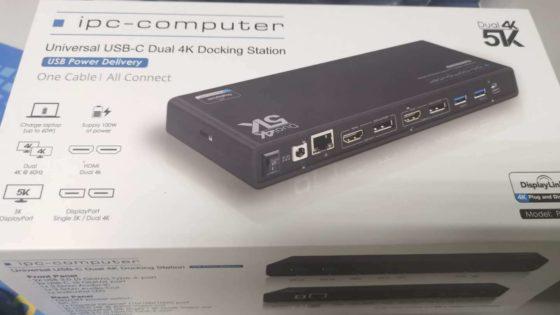
Warum schaltet mein Notebook nicht ein, wenn die Docking-Station eingeschaltet wird? Weshalb funktioniert der Einschaltknopf der Docking Station nicht? Diesen oft gestellten Fragen gehen wir heute einmal systematisch auf den Grund.
Leer más >
IPC Docking Station – USB-C Dual 4K

IPC Docking Station – USB-C Dual 4K

Der Markt für Docks und Port Replikatoren ist derzeit dominiert von Knappheit, steigenden Preisen und Inkompatibilität. Alle diese Probleme gibt es bei der IPC-Docking-Station nicht. Passt für Acer, Apple, Asus, DELL, Fujitsu, Medion, MSI und viele mehr.

Leer más >
USB-C-Docks – Fehler beim Kauf vermeiden!

USB-C-Docks – Fehler beim Kauf vermeiden!

In Shared Desk Umgebungen und Im Homeoffice sind die aktuellen USB-C Docking Stationen so gut wie unverzichtbar. Hier auf unserem Blog finden Sie viele Tests und Vergleiche verschiedener Docking Stationen, sodass Sie die richtige finden.

Leer más >

Replicadores de puertos y estaciones de acoplamiento FAQ

Aquí encontrará todas las preguntas y respuestas importantes sobre los replicadores de puertos y de acoplamiento.

  • My docking station came with a power supply. Can I use it to charge my laptop

    Basically yes, you can use them to charge your laptop, however you have to make sure, that it has enough power to do so. To find out, if it has it, please compare the specifications on the back of the original power supply with those of the one, that came with your docking station. The output voltage should not differ more than 1 volt and the output power should be greater or equal to that of the original power supply.

    In our shop we also offer combinations of docking stations and power supplies.

    See also:
  • Do I need special drivers for my docking station or port replicator?

    In order to use your docking station or port replicator, you need the appropriate drivers. The easiest way to find these drivers is directly from the manufacturer of the docking station/port replicator. You will usually need the serial number or the exact model name. 

    The driver for our in-house port replicator can be found on our info page for the IPC port replicator.

  • Display driver error after Windows update with the docking station, what can I do

    If after the last Windows update you are no longer able to connect several screens via the PRIPC1 docking station and you receive the error message "DisplayLink USB Graphics Device: Driver error", your docking station is not defective. There are two possible solutions:

    1. please try downloading and installing the latest display drivers:

    2. If updating the drivers does not solve the problem, you can try to manually uninstall the last installed Windows update:
     

    1. To do this, open the "Settings" by selecting the "Gear" in the Start menu.
    2. Then click on "Update & Security".
    3. In the "Windows Update" tab, select the option "Show update history".
    4. Then click on "Uninstall Updates".
    5. Select an update here, the updates are sorted chronologically and the newest one is displayed at the top. Click on "Uninstall" and confirm by clicking on "Yes".

    Caution: Not all Windows updates can be uninstalled.

    If it is not possible to uninstall the update or if it does not solve the problem, you are unfortunately usually powerless and have to rely on another Windows update to solve the problem.

  • Do docking stations work even if they can only be delivered with a stronger ac adapter

    Technically speaking, a more powerful power supply can be used without any problems and does not pose any danger to your device, as it always draws as much energy as it currently needs. The only disadvantage is the usually higher price of the more powerful product.

  • Are there any restrictions when I use my MacBook with Displaylink

    There are no restrictions as such. Unfortunately, Netflix is not supported by Displaylink and therefore cannot be used.

  • Can I also use an Apple MacBook Air/Pro M2 with the docking station

    Yes, you can operate both a Macbook Air/Pro M1 or a Macbook Air/Pro M2 with the docking station.

    The M1 and M2 processors only differ in performance.

  • Can I also use the docking station with only 2 HDMI or 2 DisplayPort connections

    Yes, this is possible without any problems. If you want to use two external screens, please make sure that the marked fields "Display 1" & "Display 2" are occupied once each.

  • Can I also use a screen on the docking station vertically

    Windows: This is possible without any problems. Often you only have to make a change in the display settings.

    MacOS: Since you are using the docking station in combination with the Displaylink software, this is unfortunately not possible. Unfortunately, Displaylink does not support vertical use. 

  • Can I use an Apple Mac mini with the docking station

    Unfortunately, there have always been compatibility problems in the past. Therefore, we do not recommend its use with Mac mini.

  • Can I also use my notebook folded down on a docking station

    Yes, with the right settings, operation in the folded state is possible. In this video we show how it works.

  • Kann man bei einem zugeklappten Notebook über die Docking Station das Notebook starten

    Es sollte möglich sein wenn das Notebook und die Docking Station vom selben Hersteller stammt.

    Jedoch können wir dies nicht gewährleisten.

    Falls Sie noch mehr über die Thematik erfahren wollen haben wir hier ein Blog-Beitrag für sie: Blog

  • Is it possible to use an USB-C/USB-3.0 port replicator from different Manufacturers

    Yes, as general rule this is possible. Although you have to consider the power capacity and the type of the connection.

  • After updating my Firefox browser, there is no longer a picture on the Netflix streaming service when I start a film. What can I do

    It helps to disable hardware acceleration in Firefox:

    1. Open Firefox.
    2. Click on the three-bar menu in the address bar.
    3. Select “Options”.
    4. Click on the "Performance" tab.
    5. Disable the “Use hardware acceleration” option.
    6. Click on "OK".
  • Warum erkennt mein Laptop die Dockingstation nicht?

    Mögliche Ursachen und Lösungen:

    • USB‑C‑ oder Thunderbolt‑Port ohne Datenfunktion:
      Viele Laptops haben USB‑C‑Anschlüsse, die nur zum Laden gedacht sind – keine Daten- oder Bildübertragung.
    • Falsches oder defektes Kabel:
      Nutze ein USB‑C- oder Thunderbolt‑Kabel, das Daten, Strom und Videosignale unterstützt.
    • Treiber fehlen oder veraltet:
      Aktuelle Dockingstation-, Chipsatz- und Grafiktreiber beim Hersteller installieren.
    • Firmware veraltet:
      Firmware‑Update für die Dockingstation und ggf. BIOS‑Update am Laptop ausführen.
    • Dockingstation nicht mit Strom versorgt:
      Einige Modelle brauchen ein eigenes Netzteil, sonst wird sie vom Laptop nicht erkannt.
    • Kompatibilität fehlt:
      Nicht alle Dockingstations funktionieren mit jedem Laptop.
      → Spezielle Docks (z. B. von HP, Dell, Lenovo) sind nur mit bestimmten Serien nutzbar. Tipp - im IPC Shop sind nur die passenden Modelle beim Modell hinterlegt.
    • Thunderbolt-Sicherheit aktiv:
      Bei Thunderbolt‑Docks muss die Verbindung im Windows-Sicherheitsdialog bestätigt werden.
    • Betriebssystemproblem:
      Neustart durchführen oder Dockingstation an einem anderen Port testen.
    • Geräte‑Manager prüfen:
      Wird die Dockingstation angezeigt oder mit einem gelben Warnsymbol markiert? Treiber ggf. neu installieren.
    • Dockingstation überhitzt oder hängt sich auf:
      Dock komplett vom Strom trennen, 30 Sekunden warten, erneut verbinden.
    • Port oder Zubehör defekt:
      Teste die Dockingstation an einem anderen Laptop, um den Fehler einzugrenzen.
    • Windows-Energieverwaltung:
      USB-Energiesparfunktion ausschalten, da sie die Dockingstation blockieren kann.

    Tipp:
    Bei Unsicherheit über Kompatibilität: In unserem Shop findest du geprüfte Dockingstations für viele Laptop‑Modelle.
    ? Zu den Dockingstations bei IPC Computer

  • Why does my IPC Docking Station no longer work after a macOS software update

    On 24 October 2022, the macOS Ventura operating system was released for many Macs.

    You download version 1.8 on the DisplayLink page and everything should work smoothly again afterwards.

  • Warum verbindet sich meine Dockingstation nicht mit dem Laptop?
    • USB‑C Anschluss ohne Datenfunktion:
      Nicht jeder USB‑C‑Port unterstützt Bild- oder Datenübertragung. Manche dienen nur zum Laden.
    • Kabel ungeeignet:
      Viele USB‑C Kabel übertragen nur Strom. Verwende ein vollwertiges Datenkabel.
    • Dockingstation ohne Stromversorgung:
      Dock benötigen oft ein eigenes Netzteil. Prüfe, ob die LED an der Dockingstation leuchtet.
    • Treiber fehlen oder veraltet:
      Installiere aktuelle Docking-, Grafik- und Chipsatztreiber vom Hersteller.
    • Firmware-Update nötig:
      Bei Thunderbolt- und Marken-Dockingstations kann eine Firmware-Aktualisierung die Verbindung beheben.
    • Dockingstation inkompatibel:
      Besonders bei HP, Lenovo, Dell oder Asus gibt es herstellerspezifische Docks – prüfe die Kompatibilitätsliste.
    • Betriebssystemproblem:
      Führe einen Neustart durch oder teste an einem anderen USB‑C‑Port.
    • BIOS- oder Thunderbolt-Einstellungen:
      Im BIOS kann der Thunderbolt- oder USB‑C-Modus deaktiviert sein.
    • Defekter Port oder Kabelbruch:
      Steckverbindung und Kabel auf mechanische Beschädigungen prüfen.
    • Zu viele Geräte angeschlossen:
      Einige Docks haben begrenzte Strom- oder Bandbreite – trenne testweise andere USB-Geräte.
    • Dockingstation über Hitze oder Staub beeinträchtigt:
      Lüftungsöffnungen und Kontakte reinigen, ggf. kurz abkühlen lassen.
    • Energiesparmodus aktiv:
      Nach dem Standby kann die Verbindung gestört sein – Dockingstation kurz abziehen und neu verbinden.
    • Windows- oder Treibereinstellungen:
      Im Geräte-Manager prüfen, ob die Dockingstation angezeigt oder mit einem Fehler markiert ist.

    Tipp:
    Wenn du dir unsicher bist, welche Dockingstation zu deinem Laptop passt, findest du geprüfte und kompatible Modelle hier:
    Dockingstations im Onlineshop bei IPC Computer

  • Was ist bei einer Dockingstation zu beachten?

    Wichtige Punkte vor dem Kauf oder Anschluss:

    • Anschlusstyp prüfen:
      Hat dein Laptop USB‑C, Thunderbolt, DisplayPort oder einen herstellerspezifischen Dock‑Port? Nur dieser entscheidet, welche Dockingstation passt.
    • Unterstützte Funktionen:
      Nicht jeder Anschluss überträgt Strom, Daten und Bildsignale.
      → Prüfe, ob dein Port DisplayPort‑Alt‑Mode oder Thunderbolt unterstützt.
    • Leistung und Stromversorgung:
      Die Dockingstation sollte genug Ladeleistung (Watt) für dein Notebook liefern, sonst lädt es nur langsam oder gar nicht.
    • Kompatibilität prüfen:
      Achte auf Modell- und Markenkompatibilität.
      Am einfachsten suchst du nach Hersteller und Modell im IPC-Shop nach passenden Docks - Link
    • Treiber und Firmware:
      Einige Docks (z. B. DisplayLink‑Modelle) brauchen Treiber – aktuelle Versionen installieren.
      Auch BIOS- und Firmware‑Updates können nötig sein.
    • Anzahl und Art der Anschlüsse:
      Überlege, welche Monitore, USB‑Geräte oder Netzwerkkabel du anschließen willst.
      → Je nach Nutzung sind mehrere HDMI/DisplayPort‑Ausgänge oder LAN‑Ports sinnvoll.
    • Zukunftssicherheit:
      Modelle mit Thunderbolt 4 oder USB4 sind meist abwärtskompatibel und länger nutzbar.
    • Kabelqualität:
      Verwende das Original Kabel - Nur dann ist eine stabile Daten- und Bildübertragung sichergestellt.


    Tipp:
    In unserem Shop kannst du Dockingstations nach Laptop‑Hersteller, Anschlussart und Leistung filtern und so direkt passende Modelle finden.
    Dockingstations bei IPC Computer

  • What is the difference between a docking station and a port replicator

    First and foremost, the difference lies in the connection type. Port replicators connect via a universal port such as USB, making them compatible with many devices. Docking stations are connected to the device via a proprietary interface and are therefore often compatible only with a laptop series. However, this allows more functionality, such as the laptop can be closed, or a power button on the dock itself. In addition, the docks are often like a cable, so the controller chip is in the laptop itself. This allows a higher bandwidth especially compared to USB. Often this is beneficial for connecting monitors and LAN.

    If you work with many different devices or you do not need much functionality, e.g. only USB and audio, port replicator is suitable for you. Advanced functionality tailored to your device is more likely to be found in a docking station.

    Port-Replicators which are connected via USB-C or Thunderbolt 3 often combine the benefits of normal Port- Replicators and Docking Stations. The standardized connection allows for compatibility with a multitude of devices, both connections have a high bandwidth. Therefore, you can not only connect USB-devices and card readers, but also LAN and multiple monitors. Additionally, they often allow for charging via the same cable used to connect them and even can turn the device on and off.

    Whether you are looking for a replicator or a docking station, you will find the right device for your laptop in our shop.

  • What can I do, if I cannot connect
    1. Disconnect all connections from the docking station, including keyboard, mouse and other peripherals.
    2. To disconnect the power supply, unplug the docking station from the power outlet.
    3. Press the power button on the unconnected docking station and hold it for 30 seconds. This helps to discharge any residual charges that may be present.
    4. Now reconnect the laptop and all previously disconnected cable connections to the docking station.
    5. Plug the power plug back into the socket and switch on the docking station.

    After following these steps, your docking station should work properly.

  • Welche Gefahren solltest du kennen, wenn Du eine Dock an Dein Laptop anschließt?

    Mögliche Risiken und worauf du achten solltest:

    • Überlastung der Stromversorgung:
      Wenn die Dockingstation zu wenig oder zu viel Leistung (Watt) liefert, kann der Laptop nicht richtig laden oder sich überhitzen.
    • Billige oder minderwertige Docks:
      Günstige, unzertifizierte Produkte können zu Kurzschlüssen, Überhitzung oder Datenverlust führen.
      Empfehlung vom Notebook-Doktor:  Verwende nur Original Markenware oder die IPC-Computer Docks.
    • Inkompatibler Anschluss:
      Ein falscher oder schlecht unterstützter USB‑C‑/Thunderbolt‑Port kann Hardwarefehler oder Ausfälleverursachen.
    • Hohe Stromlast an USB‑Ports:
      Zu viele Geräte (externe Festplatten, Monitore, Ladegeräte) gleichzeitig anschließen kann zu Spannungseinbruch oder Instabilität führen.
    • Treiber‑ oder Firmware‑Fehler:
      Veraltete Software kann Verbindungsabbrüche oder sogar Systemabstürze verursachen.
      → Regelmäßig Treiber und Firmware aktualisieren.
    • Überhitzung bei Dauerbetrieb:
      Bei stark belasteten Docks (viele Monitore, Geräte, LAN) für ausreichende Belüftung sorgen.
    • Firmware‑Sicherheitslücken:
      Einige Thunderbolt‑Docks können theoretisch Sicherheitslücken haben – Firmware aktuell halten schützt davor.
  • What advantages does an USB-C port replicator/docking station grant

    The most remarkeble advantages in comparison to USB3.0, are a faster data transmission rate and the possibility to charge the device via USB-C. Also is USB-C becoming the default option for more and more devices.

  • What port replicator do i require

    On the one hand you have to consider the compatibility of your device. If your laptop has no USB-C connection, it can cause problems with newer models. On the other hand the port replicator has to produce enough power and can not convert less watts than your Notebook needs. At last you can choose how many and what type of connections for peripherals you need.

  • Wie benutzt man eine Dockingstation richtig?

    So nutzt du deine Dockingstation optimal:

    • Anschluss prüfen:
      Überprüfe, welchen Anschluss dein Laptop hat – USB‑C, Thunderbolt oder proprietärer Dock‑Port – und verwende immer das Original Verbindungskabel.
    • Kabel richtig anschließen:
      Dockingstation zuerst an Strom anschließen (falls Netzteil erforderlich), danach erst den Laptop verbinden.
    • Reihenfolge beachten:
      Erst Dock mit Strom verbinden, danach Notebook anschließen, dann Peripherie (Monitor, Maus, Tastatur).
    • Treiber installieren:
      Aktuelle Treiber oder Firmware vom Hersteller herunterladen und installieren, besonders bei DisplayLink‑ oder Thunderbolt‑Docks.
    • Kabelqualität beachten:
      Verwende nur das Original Verbindungskabel - damit ist ein sicherer Betrieb sichergestellt
    • Anschlüsse richtig nutzen:
      • Monitore an die vorgesehenen HDMI-, DisplayPort- oder USB‑C‑Videoausgänge anstecken
      • USB‑Geräte an die Datenports (blau markiert)
      • Netzwerk über LAN‑Port verbinden
    • Stromversorgung prüfen:
      Viele Docks laden deinen Laptop automatisch. Achte darauf, dass die Leistung (Watt) ausreicht.
    • Geräte sicher entfernen:
      Vor dem Abziehen des Kabels immer externe Laufwerke auswerfen, um Datenverlust zu vermeiden.
    • Nicht überlasten:
      Zu viele angeschlossene Geräte (z. B. Monitore und Festplatten) können zu Leistungseinbußen führen. Lies in den Specs die max. unterstützen Geräte nach.
    • Lüftung sicherstellen:
      Dockingstation sollte frei stehen, damit sie nicht überhitzt. Bei zu heißen Docks kann es zu Verbindungsabbrüchen und anderen Störungen kommen.
    • Software-Einstellungen prüfen:
      In Windows unter „Anzeigeeinstellungen“ Monitore anordnen und Audioausgabe (Dock vs. Laptop) richtig einstellen.
  • Wie erkenne ich, ob eine Dockingstation mit meinem Notebook kompatibel ist?

    am einfachsten: 

    Shop‑Filter nutzen:
    In unserem Online‑Shop kannst du gezielt nach Hersteller, Modell alle passenden Ersatzteile anzeigen lassen.
    So siehst du nur Dockingstations, die technisch wirklich passen zu Deinem Gerät passen.
    ? Passende Dockingstations finden bei IPC Computer

    weitere Möglichkeiten:

    • Anschlussart prüfen:
      Schau, welchen Anschluss dein Laptop hat – USB‑C, Thunderbolt, proprietär (z. B. HP, Lenovo, Dell) oder ältere Docking‑Ports.
    • Unterstützte Funktionen prüfen:
      Nicht jeder USB‑C‑Anschluss überträgt Bild, Daten und Strom.
      → Nur Anschlüsse mit DisplayPort‑Alt‑Mode oder Thunderbolt‑Unterstützung eignen sich für echte Dockingstations.
    • Herstellerangaben lesen:
      In den Technischen Daten des Laptops steht oft, welche Dockingstations oder Protokolle unterstützt werden.
    • Kompatibilitätslisten verwenden:
      Viele Hersteller geben auf ihren Webseiten oder im Handbuch eine Liste kompatibler Dockingstationen an.
    • Leistungsanforderungen prüfen:
      Achte auf die benötigte Ladeleistung (Watt) deines Notebooks.
      Eine zu schwache Dock kann den Akku nicht ausreichend während des Betriebes laden.
    • Betriebssystem-Kompatibilität:
      Manche Dockingstations funktionieren nur mit Windows, andere auch mit macOS oder Linux.
    • Treiberpflichtige Modelle beachten:
      Einige Docks benötigen spezielle Treiber (DisplayLink, Thunderbolt).
      Prüfe, ob dein System diese unterstützt.
    • Alte Dockingstationen:
      Mechanische oder herstellerspezifische Docks (z. B. alte HP‑ oder Dell‑Modelle) sind meist nicht mit neuen USB‑C‑Geräten nutzbar.
  • Wie installiere ich den DisplayLink Treiber

    DisplayLink Treiber

    MacOS

    Windows